Add God Mode Shortcut to Windows Desktop with PowerShell
Overview
Sources:
Adds the God Mode shortcut (.lnk) to Windows Desktop.
Code
<#
    .SYNOPSIS
        Adds a desktop shortcut for the `GodMode` Windows Advanced Options.
    .DESCRIPTION
        Adds a desktop shortcut for the `GodMode` Windows Advanced Options.
    .EXAMPLE
        Add-GodModeShortcut

        # Now Desktop has a shortcut.
#>
[CmdletBinding()]
Param()

$ErrorActionPreference = 'Stop'

$Desktop = [Environment]::GetFolderPath("Desktop")

If (!(Test-Path "$Desktop\GodMode.{ED7BA470-8E54-465E-825C-99712043E01C}")) {
    New-Item -Path "$Desktop\GodMode.{ED7BA470-8E54-465E-825C-99712043E01C}" -ItemType Directory | Out-Null
}
Output
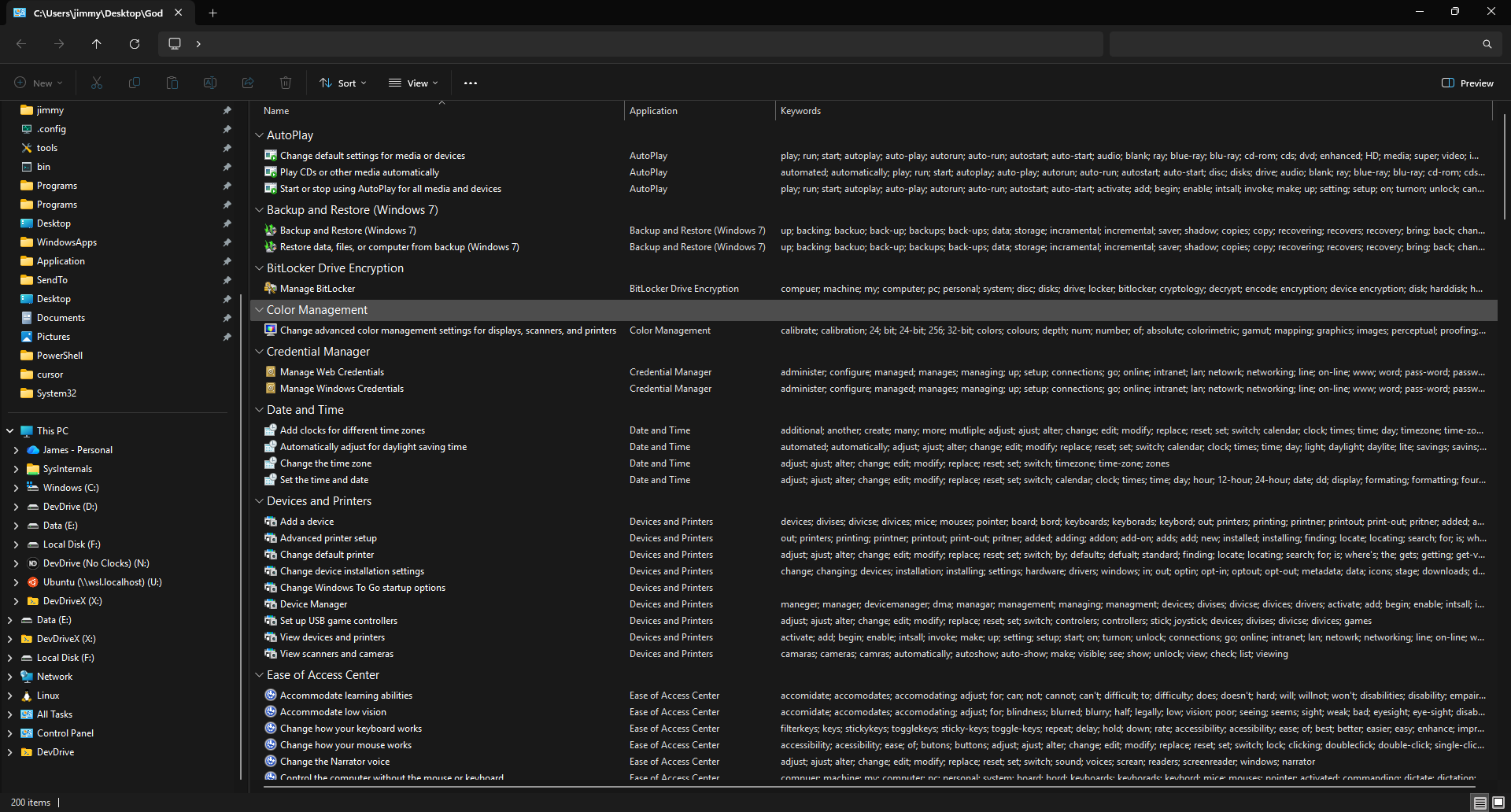
The resulting output from the script is the link on the desktop per below image:

when opened:
Appendix
Note created on 2025-12-27 and last modified on 2025-12-27.
See Also
Backlinks
(c) No Clocks, LLC | 2025